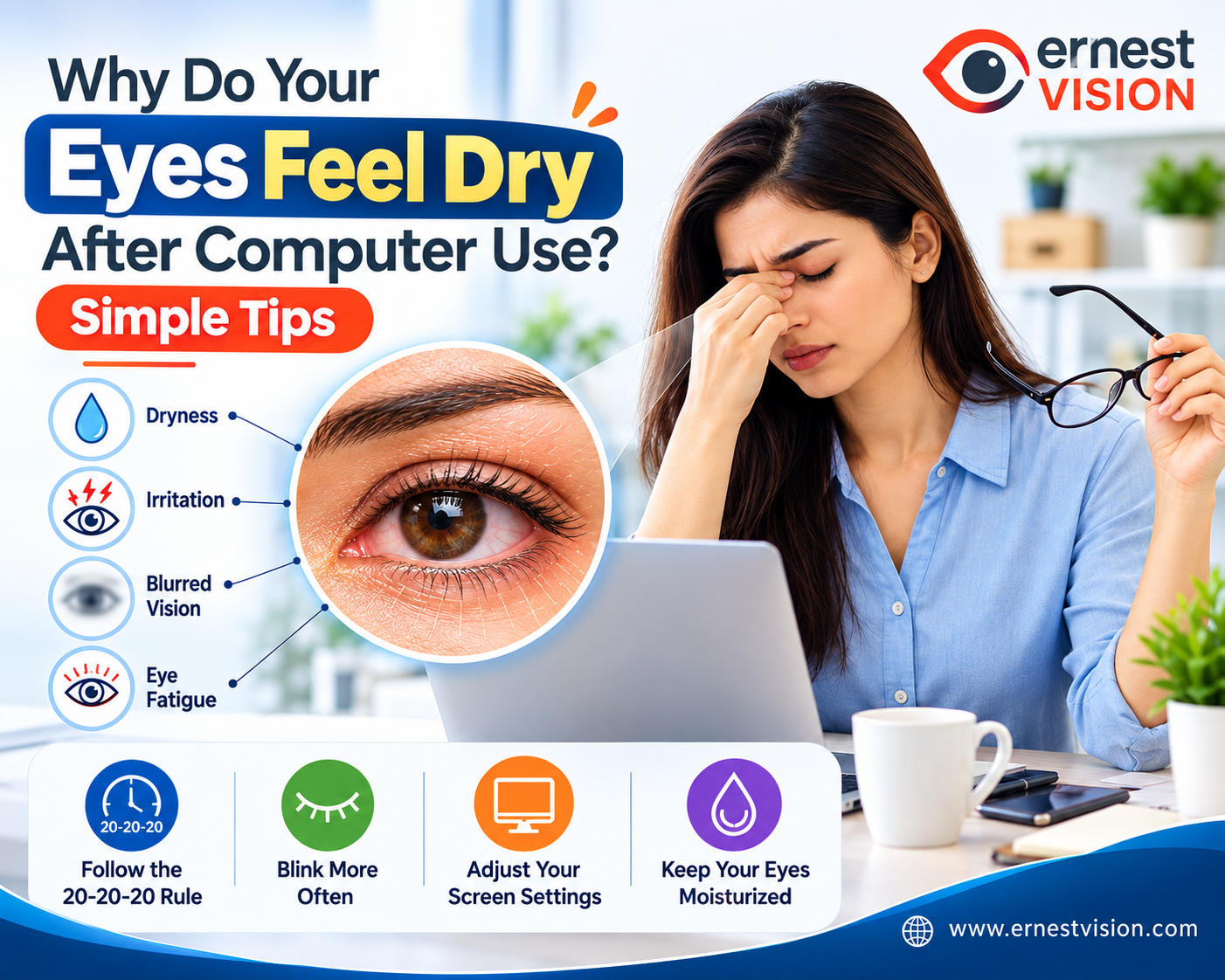
Why Do Your Eyes Feel Dry After Using a Computer?
For many people, looking at a computer screen is now a normal part of the day. Office work, online classes, video calls, research, entertainment, and even everyday tasks can keep us in front of digital screens for several hours. After a while, however, your eyes may begin to feel uncomfortable. You might notice dryness, mild burning, tiredness, excessive watering, or vision that becomes temporarily unclear. These symptoms often link to prolonged computer use and may occur as part of digital eye strain. Fortunately, changing a few everyday screen habits can often help make long hours of computer work more comfortable. Why Computer Screens Can Leave Your Eyes Dry and Tired
The surface of the eye needs a stable layer of moisture to remain comfortable. This protective moisture layer, known as the tear film, is refreshed whenever you blink. When people concentrate on a computer or another digital device, they may blink less frequently. Some blinks may also be incomplete, meaning the eyelids do not fully close. As a result, tears may evaporate more quickly and may not spread evenly across the eye surface. This can contribute to dry eyes during computer use, irritation, or a feeling that something is stuck in the eye. Screen time is not the only factor. Bright lighting, screen reflections, long periods of close focusing, poor posture, dry indoor air, and an unsuitable vision prescription can also increase discomfort. How Can Digital Eye Strain Feel?
Not everyone experiences screen-related eye discomfort in the same way. Some people mainly notice dryness, while others develop visual fatigue or headaches.
Possible symptoms include:
- Burning, itching, or irritated eyes
- A dry or scratchy sensation
- Tired or strained eyes after using digital screens
- Excessive watering
- Temporary difficulty seeing clearly
- Trouble shifting focus from near to distant objects
- Red or uncomfortable eyes
- Headaches after extended screen use
- Tension around the neck and shoulders
Watery eyes may seem unusual when discussing dryness, but irritation of the eye surface can sometimes stimulate additional tear production.
1. Build Short Distance Breaks Into Your Day
Continuous close-up work can make your eyes feel increasingly tired. A simple way to interrupt it is the 20-20-20 rule. After approximately 20 minutes of screen use, shift your attention to something about 20 feet away and look at it for around 20 seconds. There is no need to calculate the distance precisely. Looking across a large room or outside a window can work just as well. These short pauses allow your eyes to change their focusing distance and can also remind you to blink more naturally.
2. Pay Attention to How You Blink
Most people do not think about blinking until their eyes become uncomfortable. When concentrating intensely on text, spreadsheets, videos, or detailed computer work, blinking can become less frequent. Making a conscious effort to complete a few gentle blinks from time to time may help refresh the eye surface. You can connect this habit with activities you already perform. For example, blink several times slowly after completing a task, sending a message, finishing a paragraph, or moving to another webpage. For people experiencing screen-related dry eyes, such small habits may help improve everyday comfort. 3. Make Your Screen Easier to View
The position of your monitor matters more than many people realize. Place the computer screen at a distance where you can comfortably read without leaning toward it. For many users, approximately an arm's length is a practical starting point. The monitor can also be positioned so that the main viewing area is slightly below your natural eye level. If words or images are difficult to see, increase the text size or zoom rather than moving your face closer to the monitor. A comfortable setup can reduce both visual fatigue and unnecessary strain on your neck and shoulders.
4. Create Comfortable Lighting
Strong reflections and excessive contrast between your screen and the surrounding room can make computer work less comfortable. Check whether sunlight, ceiling lights, or lamps are creating reflections on your monitor. Changing the monitor angle or adjusting nearby lighting may help. Screen brightness should also be comfortable relative to the room. Extremely bright displays are not necessarily better for your eyes. Readable text, appropriate contrast, and comfortable brightness are generally more useful than simply keeping the screen at maximum brightness.
5. Avoid Air Blowing Directly Toward Your Eyes
Your surroundings can influence how quickly tears evaporate. A ceiling fan, air conditioner, heater, or desk fan directed toward your face may make existing dryness more noticeable. Try changing your seating position or redirecting the airflow if possible. In very dry indoor conditions, maintaining comfortable room humidity may also help. This can be particularly relevant for people who frequently experience dry eye symptoms even when their screen time is moderate. 6. Take Regular Breaks From Contact Lenses
Contact lenses and long hours of computer work may be an uncomfortable combination for some people. If your eyes regularly become dry or irritated during extended screen sessions, wearing glasses for part of the day may feel more comfortable. Contact lens users who repeatedly experience redness, pain, dryness, or blurred vision should consult an eye-care professional to determine whether their lenses, wearing schedule, or another eye condition is contributing to the problem. Do Computer Users Really Need Blue-Light Glasses?
Blue-light filtering glasses have become popular among people who spend many hours using digital devices. However, they should not be considered a replacement for good screen habits. When managing computer eye strain, factors such as regular breaks, appropriate viewing distance, complete blinking, comfortable lighting, reduced glare, and an accurate vision prescription are important considerations. People who require glasses specifically for computer-distance vision should discuss their individual needs with a qualified eye-care professional. When Should You See an Eye Doctor for Eye Discomfort?
Mild tiredness after an unusually long period of screen work may settle after taking a break. Symptoms that repeatedly return or continue despite changing your screen habits should not simply be ignored. Consider seeking professional eye care if you experience persistent dryness, eye pain, significant redness, frequent blurred vision, unusual sensitivity to light, or discomfort that continues even when you are not using digital devices. Computer use may make symptoms more noticeable, but it is not always the only explanation. Allergies, eyelid conditions, contact lens use, certain medications, existing dry eye disease, and uncorrected vision problems can also contribute to eye discomfort. Simple Screen Habits Can Make a Difference
Using computers is difficult to avoid in modern life, but spending time in front of a screen does not mean you have to accept uncomfortable eyes every day. Try introducing small changes into your routine. Look into the distance regularly, blink fully, position your monitor comfortably, control reflections, keep direct airflow away from your face, and give yourself short breaks during extended computer sessions. The goal is not necessarily to reduce every minute of screen time. It is to use digital devices in a way that gives your eyes regular opportunities to rest and refresh. A few seconds away from the screen throughout the day may seem insignificant, but consistent habits can contribute to more comfortable computer use over time.
Frequently Asked Questions (FAQs)
1. Why do my eyes become dry when I work on a computer?
People often blink less frequently while concentrating on a digital screen. This can allow tears to evaporate faster, leaving the eyes feeling dry, irritated, or tired.
2. Can spending too much time on screens cause eye discomfort?
Yes. Extended use of computers, smartphones, and tablets can contribute to digital eye strain, which may include dryness, temporary blurred vision, headaches, burning, and tired eyes.
3. What is the 20-20-20 rule for eye comfort?
The 20-20-20 rule suggests looking away from your screen every 20 minutes at something approximately 20 feet away for at least 20 seconds. It provides a short break from continuous near focusing.
4. Why do my eyes water after looking at a screen for a long time?
Watery eyes can sometimes occur when the eye surface becomes irritated or dry. The irritation may trigger reflex tear production, causing the eyes to water.
5. How can I make computer work more comfortable for my eyes?
Take regular visual breaks, blink fully, keep the monitor at a comfortable distance, adjust screen brightness, reduce glare, and avoid direct airflow from fans or air conditioners.
6. What is a comfortable distance between my eyes and a computer monitor?
An arm's length is a useful general starting point for many people. However, the ideal distance can vary depending on monitor size, text size, vision needs, and workstation setup.
7. Can air conditioning make screen-related dry eyes worse?
Dry indoor air and direct airflow from an air conditioner or fan may increase tear evaporation. Redirecting airflow away from your face may help reduce discomfort.
8. Can contact lenses feel uncomfortable during prolonged computer use?
Some contact lens users notice increased dryness during long periods of screen work. If discomfort occurs frequently, an eye-care professional can assess whether the lenses or another factor is contributing.
9. Do blue-light glasses prevent digital eye strain?
Blue-light glasses should not replace healthy screen habits. Regular breaks, comfortable lighting, proper screen positioning, blinking, and correcting existing vision problems are important measures for managing screen-related discomfort.
10. When should I consult an eye-care professional for screen-related symptoms?
Seek professional advice if dryness, pain, significant redness, light sensitivity, recurring blurred vision, or other symptoms persist, worsen, or continue even when you are away from digital screens.